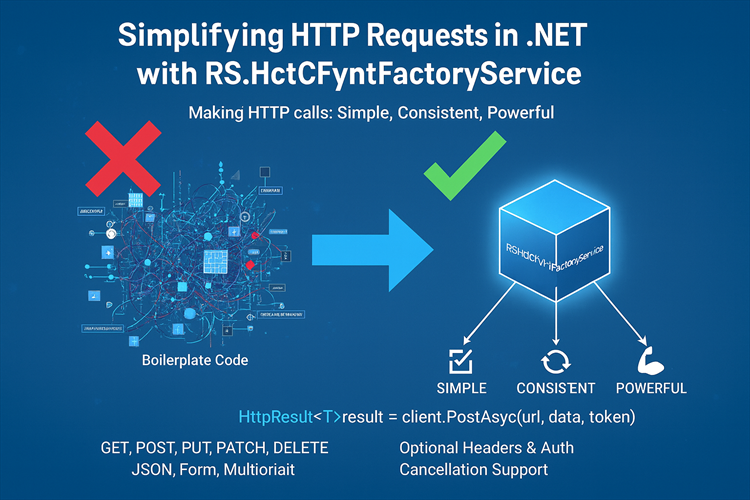
RS HttpClientFactoryService: A Cleaner Way to Call APIs in .NET
Simplifying HTTP Requests in .NET with RS.HttpClientFactoryService
Making HTTP calls in .NET is a common task, but developers often face repetitive boilerplate code for GET, POST, PUT, PATCH, DELETE, and handling headers, JSON serialization, or cancellation tokens.
Enter HttpClientFactoryService — a reusable service that makes HTTP communication simple, consistent, and powerful.
Why HttpClientFactoryService?
Before this service, developers typically wrote code like this:using var client = new HttpClient();client.DefaultRequestHeaders.Add("Authorization", "Bearer token");var response = await client.GetAsync("https://jsonplaceholder.typicode.com/posts");var content = await response.Content.ReadAsStringAsync();var posts = JsonSerializer.Deserialize<List<Post>>(content);
Or, using IHttpClientFactory:var client = _httpClientFactory.CreateClient("JsonPlaceholder");var response = await client.GetAsync("posts");
These approaches work, but they have downsides:
- Repeated boilerplate code
- Manual JSON serialization/deserialization
- Headers and authorization handling scattered
- No unified error handling
With HttpClientFactoryService, all of this becomes one consistent API call.
Features
- GET, POST, PUT, PATCH, DELETE support
- JSON, form data, and multipart requests
- Named HttpClient support
- Optional headers and auth tokens
- Cancellation support
- Structured response: HttpResult<T> with IsSuccess, Message, Data, HttpStatusCode
- Minimal code for end users
Why Developers Love It
- Minimal Code: One method call handles headers, serialization, errors, and optional auth.
- Consistent Responses: Every call returns HttpResult<T> for predictable handling.
- Flexible: Works with named clients, optional headers, and optional CancellationToken.
- Extensible: Can easily add methods like GetByteArrayAsync or GetRawAsync.
Comparison with Alternatives
| Approach | Code Length | Features | Cons |
|---|---|---|---|
| Inline HttpClient | Long | None | Manual disposal, repetitive |
| IHttpClientFactory | Medium | Named clients | Still needs headers, serialization |
| RestSharp | Medium | Built-in JSON | Another dependency |
| RS.HttpClientFactoryService | Short | All features built-in | Lightweight abstraction |
Installation
https://www.nuget.org/packages/RS.HttpClientFactoryService
dotnet add package RS.HttpClientFactoryService
Register the service in Program.cs:builder.Services.AddHttpClient();
or
builder.Services.AddHttpClient("JsonPlaceholder", client =>{ client.BaseAddress = new Uri("https://jsonplaceholder.typicode.com/"); client.DefaultRequestHeaders.Add("Accept", "application/json");});builder.Services.AddScoped<IHttpClientFactoryService, HttpClientFactoryService>();
GET Request
var result = await _httpService.GetAsync<List<Post>>( "posts", clientName: "JsonPlaceholder", cancellationToken: cancellationToken);
if (result.IsSuccess) Console.WriteLine($"Fetched {result.Data.Count} posts");else Console.WriteLine($"Error: {result.Message}");
Notes:
- clientName refers to a named HttpClient configuration.
- cancellationToken is optional but recommended for long-running requests.
POST Request (From C# Model)
var newPost = new Post { UserId = 1, Title = "Hello", Body = "This is a test post." };var postResult = await _httpService.PostAsync<Post>( "posts", requestJsonData: JsonSerializer.Serialize(newPost), clientName: "JsonPlaceholder", cancellationToken: cancellationToken);
Console.WriteLine($"Created Post ID: {postResult.Data?.Id}");
POST Form Datavar formData = new Dictionary<string, string>{ { "username", "john" }, { "password", "secret" }};
var loginResult = await _httpService.PostFormAsync<HttpResult>( "login", formData, clientName: "MyApi", cancellationToken: cancellationToken);
POST Multipart (File Upload)
var multipart = new MultipartFormDataContent();multipart.Add(new StringContent("John Doe"), "name");multipart.Add(new ByteArrayContent(fileBytes), "file", "document.pdf");
var uploadResult = await _httpService.PostMultipartAsync<HttpResult>( "users/upload", multipart, clientName: "MyApi", cancellationToken: cancellationToken);
Conclusion
RS.HttpClientFactoryService provides a clean, consistent, and maintainable way to perform HTTP operations in .NET. It reduces boilerplate, handles headers and serialization automatically, and makes HTTP requests safer with optional cancellation.
If you’re tired of repeating HTTP logic in every project, HttpClientFactoryService is your new best friend.
If you prefer an easy setup, simply install the NuGet package 👉 RS.HttpClientFactoryService
But don’t worry—everything is fully open-source.
If you’d rather explore or use the complete implementation, you can download the full source code here: 👉 RS.HttpClientFactoryService GitHub Project code
👉 Example usage code https://github.com/ravinder25886/RS.Framework/tree/master/RSFramework/HttpClientFactoryServiceAPI
Thanks, for reading the blog, I hope it helps you. Please share this link on your social media accounts so that others can read our valuable content. Share your queries with our expert team and get Free Expert Advice for Your Business today.